Duplicates, near-identical shots, screenshots, screen recordings, and large videos can accumulate without you noticing. As storage fills up, it becomes harder to find what you actually care about — and your device can feel slower during everyday tasks. Clean Up Storage helps you review these categories in a structured way, so you can make confident decisions and reclaim space without guesswork.
Clean Up Storage
Your iPhone stores more than memories
It also keeps thousands of photos, videos, and contacts you may no longer need.
Clean Up Storage helps you take control — bringing everything into one smart space where organizing, sorting, and backing up your content is effortless.
- Designed for clarity, not clutter
- Review-first workflow with confirmation
- Accessible, calm, and private by design
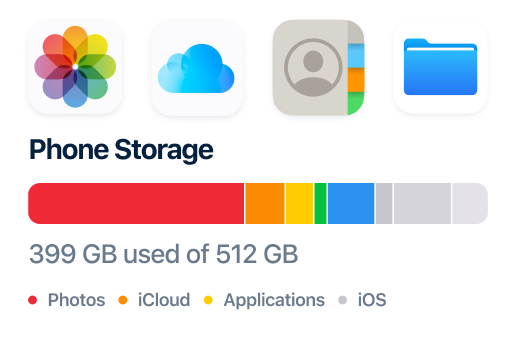
Why cleaning matters
Unwanted files don’t arrive all at once — they build quietly over time.
Why Users Trust Clean Up Storage
Built around clear principles: you stay in control, and your content stays organized.
Full User Control
Nothing is removed without your confirmation.
Neat & Organized
Gallery and contacts stay structured.
Find Faster
Smart grouping and intuitive filters.
Light & Smooth
Identifies and removes space-heavy files.
Your privacy is our priority
We built Clean Up Storage to respect your data — not to collect it.
100% on‑device
All scanning happens right on your iPhone. Your photos, videos, and contacts never leave your device.
No cloud, no servers
We don't have servers. There's nowhere for your data to go — because we don't send it anywhere.
Encrypted & ephemeral
Any temporary data created during scanning is encrypted and immediately discarded.
Permanent deletion option
When you delete through Clean Up Storage, files go to Recently Deleted — you choose when to erase them forever.
Why Clean Up Storage is different
Most cleaner apps take shortcuts. We don't.
Other apps: auto‑delete
They guess what you don't need — and sometimes guess wrong. You're left hoping they were right.
We: you're in the driver's seat
We show you everything and let you choose. No surprises, no regrets.
Other apps: hidden fees, dark patterns
Confusing subscriptions, unexpected charges, and tricky interfaces — we've seen it all.
We: simple, transparent, fair
What you see is what you get. A clean tool that helps you clean your phone — nothing else.
Our Features
Explore what the app can help you review — each section expands with details.
Groups photos that look nearly identical — taken in the same moment or from similar angles. Compare versions side by side, keep the best shot, and remove the rest without searching through your entire gallery.
Collects all screenshots into a single category. Review outdated captures like receipts, confirmations, or temporary notes, and remove them to reduce visual clutter and free up space.
Identifies Live Photos so you can review both motion and still frames. Keep meaningful moments and remove extra or accidental Live captures that take up more space than standard photos.
Highlights videos that take up the most storage space. Sorted by file size, this view helps you quickly find heavy files and decide which videos are worth keeping.
Automatically gathers screen recordings in one place. Review old tutorials, test recordings, or temporary captures that are often forgotten but can consume significant storage.
Shows videos saved from browsers, messengers, or other apps. Helps you find downloaded content that may no longer be needed after viewing.
Reduces video file size while preserving visual quality. Compression helps free up storage space without deleting videos, making it easier to keep more content on your device.
Detects contacts with matching names, numbers, or details. Review duplicates side by side and merge or remove them to keep your contact list accurate and easy to manage.
Creates a secure backup of your contacts before cleanup. This allows you to organize or remove duplicates confidently, knowing your contact data can be restored if needed.
Latest from our blog
Tips and stories to help you keep your iPhone clutter‑free.
7 things you can delete right now (and won't regret)
Old receipts, blurry bursts, downloaded videos you never watched — we've listed seven types of files you can safely delete today.
Duplicate contacts: the silent clutter you ignore
Your contact list is probably full of duplicates. Here's why that matters and how to clean it up for good.
Live Photos: are they worth the extra space?
Live Photos are magical, but they take up twice the space. Learn how to decide what to keep and what to flatten.
Three signs your iPhone is crying for help
Your phone can't talk, but it sends clear distress signals. Here's what to look for before it's too late.
How much time do you waste finding photos?
We ran an experiment and found the average person spends 4 minutes searching for a photo. Here's how to fix it.
Let's talk about what's really hiding in your iPhone photo gallery
One duplicate here, one screenshot there — your iPhone gallery fills up quietly. Here's how to take back control.
What weighs more: 1000 photos or one long video?
We crunched the numbers. The answer changes how you should think about cleaning your iPhone gallery.
What is "Other" storage and how to tame it
That mysterious "Other" section in your iPhone storage — what it is, why it grows, and how to shrink it.
Why we never delete anything without your permission
Most cleaner apps delete first, ask later. We built Clean Up Storage differently: you review, you decide.
Why we don't use smart auto‑delete (and neither should you)
Automated cleaners promise convenience but often delete things you'd rather keep. Here's why we keep you in control.
Spotting fake cleaner apps: a buyer's guide
Not all cleaner apps are created equal. Here's how to avoid scams and apps that compromise your privacy.
After the cleanup: how to keep your gallery tidy
You've cleaned your iPhone gallery — now how do you keep it from getting cluttered again? Here are simple habits.
Keep your iPhone ready
Review, organize, and back up everything — so your iPhone stays light, fast, and ready for what’s next.
Clean with confidence
Every category is presented clearly so you can review first, then decide. No surprise deletions — just a calm flow that helps you stay in control.
Keep what matters, remove the rest
Focus on the biggest space wins: duplicates, similar shots, screenshots, large videos, and recordings. Simple grouping helps you spot clutter faster.
Have Questions?
We’ll respond with helpful info. No pressure, no spam.
Email us at starlitdevteam@hotmail.com
Address:
Vyronos, 1
SIRENA 1, Flat/Office 1 Kato Pafos
Paphos, Cyprus
8046
How much space can you free up?
Move the sliders to match your gallery — we'll estimate your savings.
5,000
0
20,000+
30%
0%
100%
100
0
1,000+
Estimated reclaimable space
3.2 GB
Based on average iPhone file sizes. Your actual savings may vary.
⚡ Conservative: 18% duplicate photos, 30% flattenable Live Photos, 15% never‑watched videos.
Ready to clean up your iPhone?
Download the app and start reviewing duplicates, heavy videos, screenshots, and more in one place.
Download App